Business Data Automation Scripts
Raw data input sheets to their formatted Excel outputs with data transformation workflow
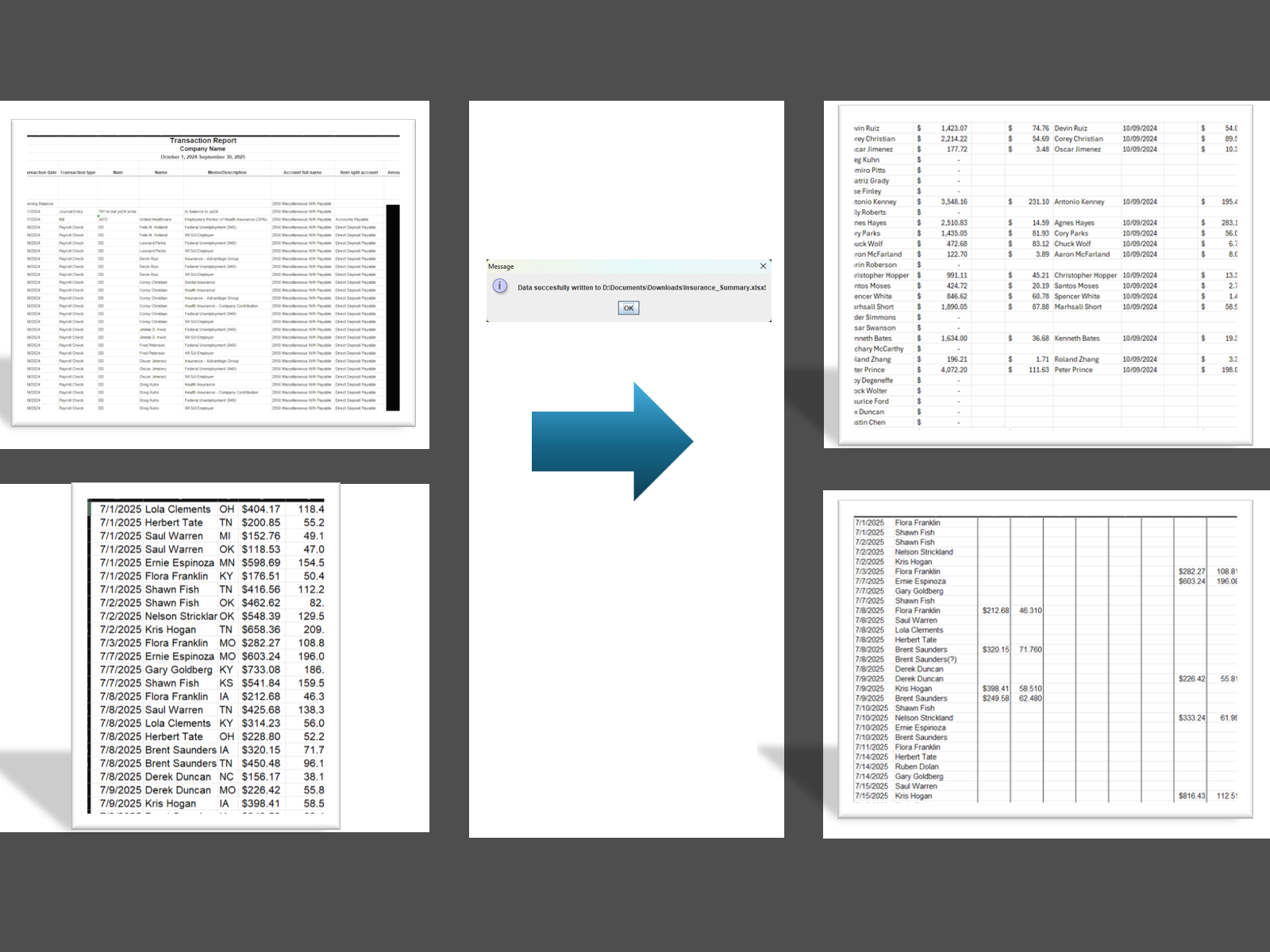
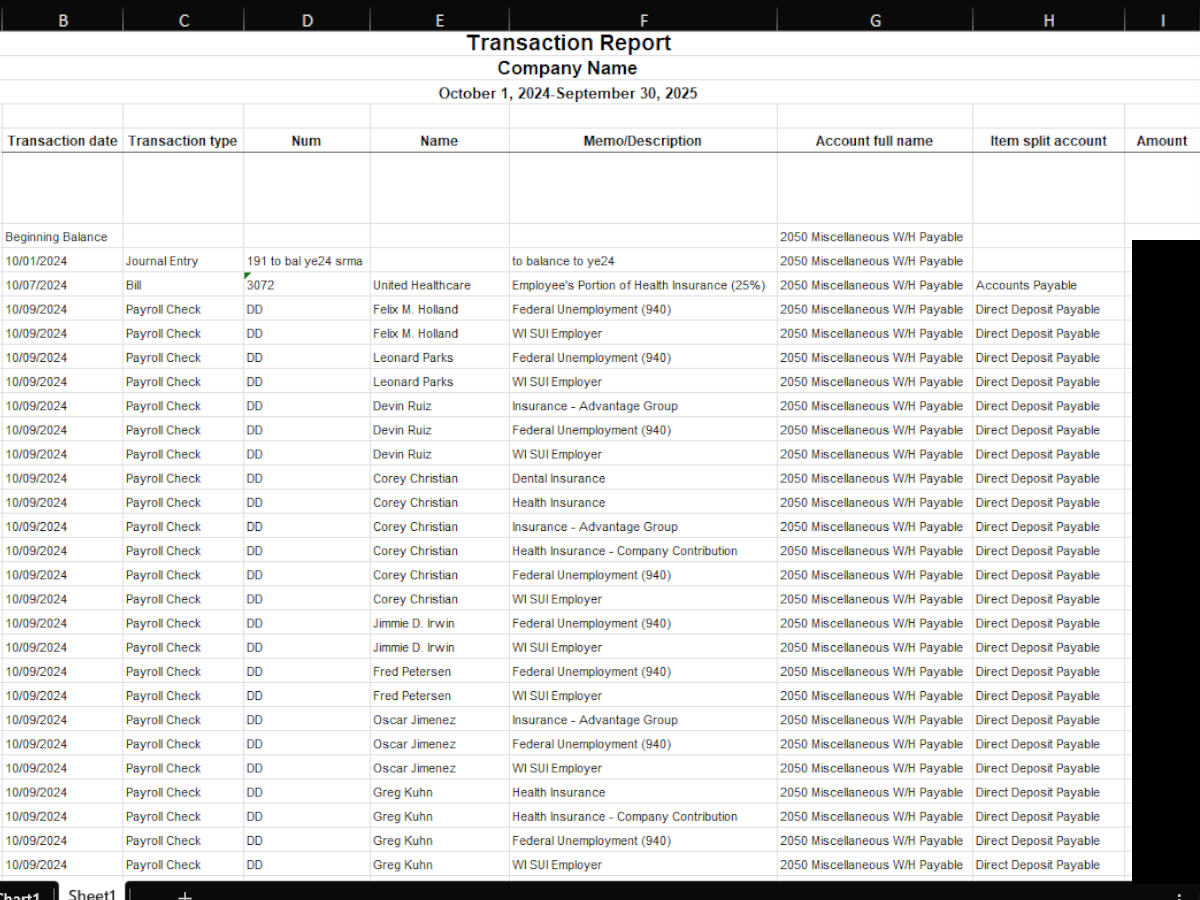
QuickBooks transaction report showing raw payroll data with insurance deductions in memo fields
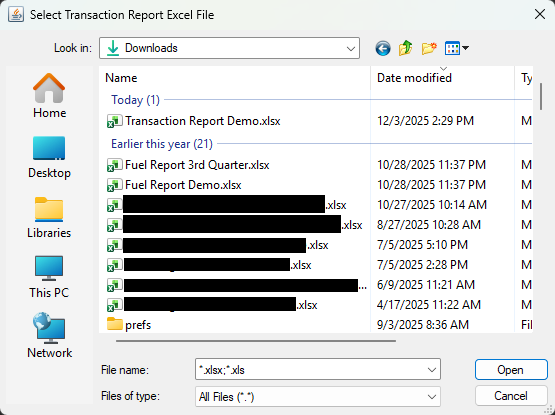
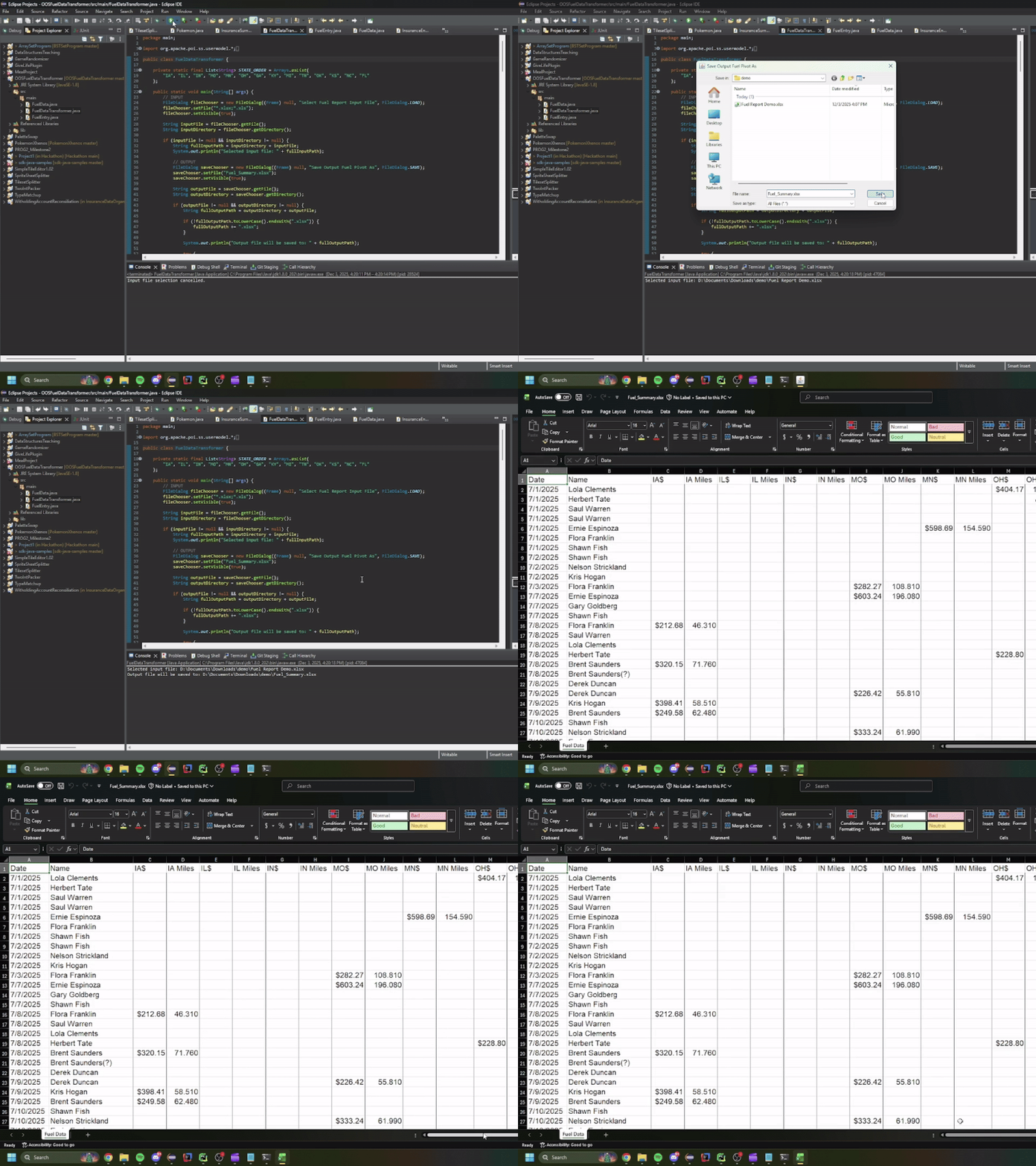
Native file dialogs for selecting input QuickBooks report and output save location
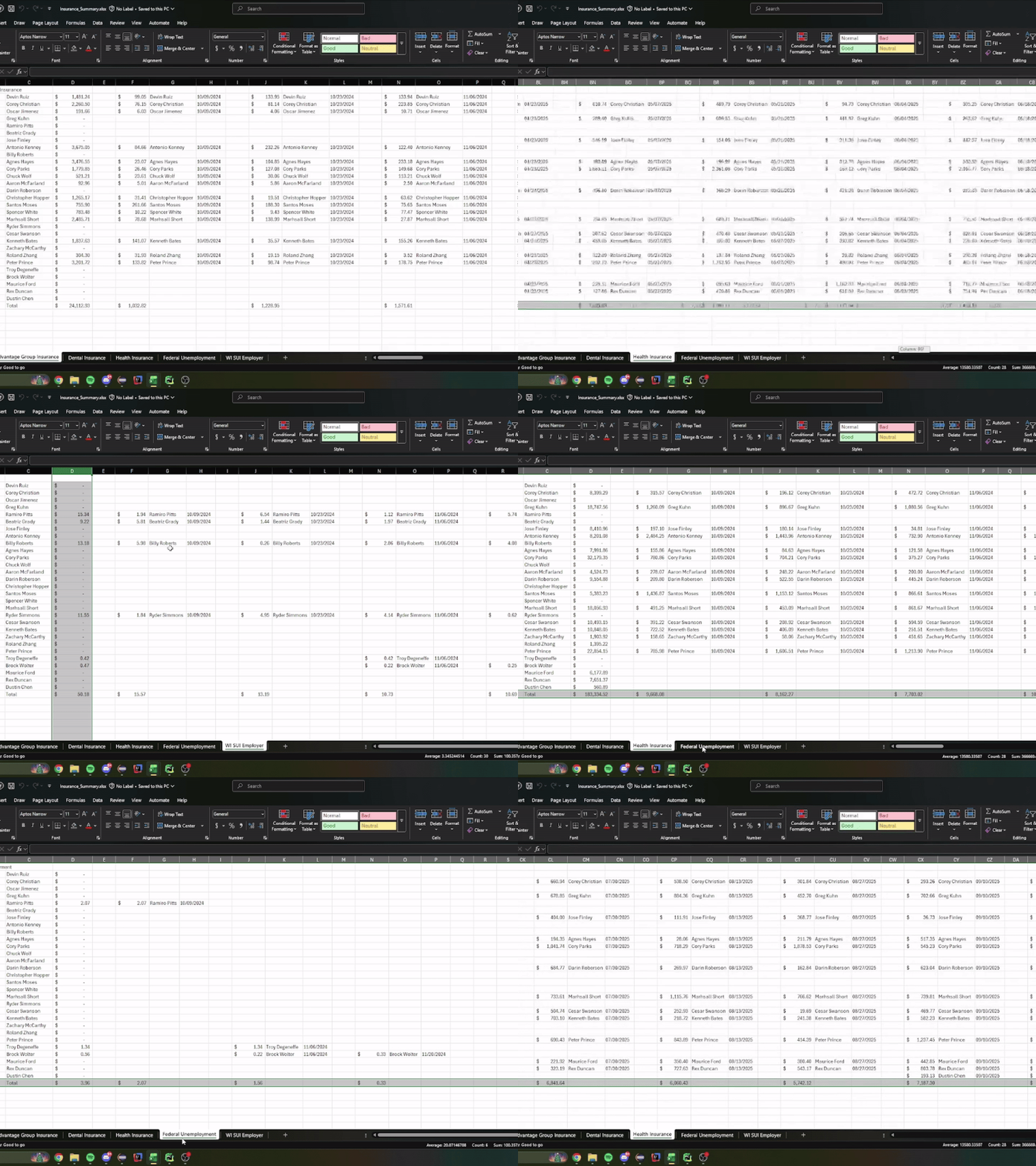
Generated insurance summary sheet showing employee-by-date breakdown with accounting-style formatting
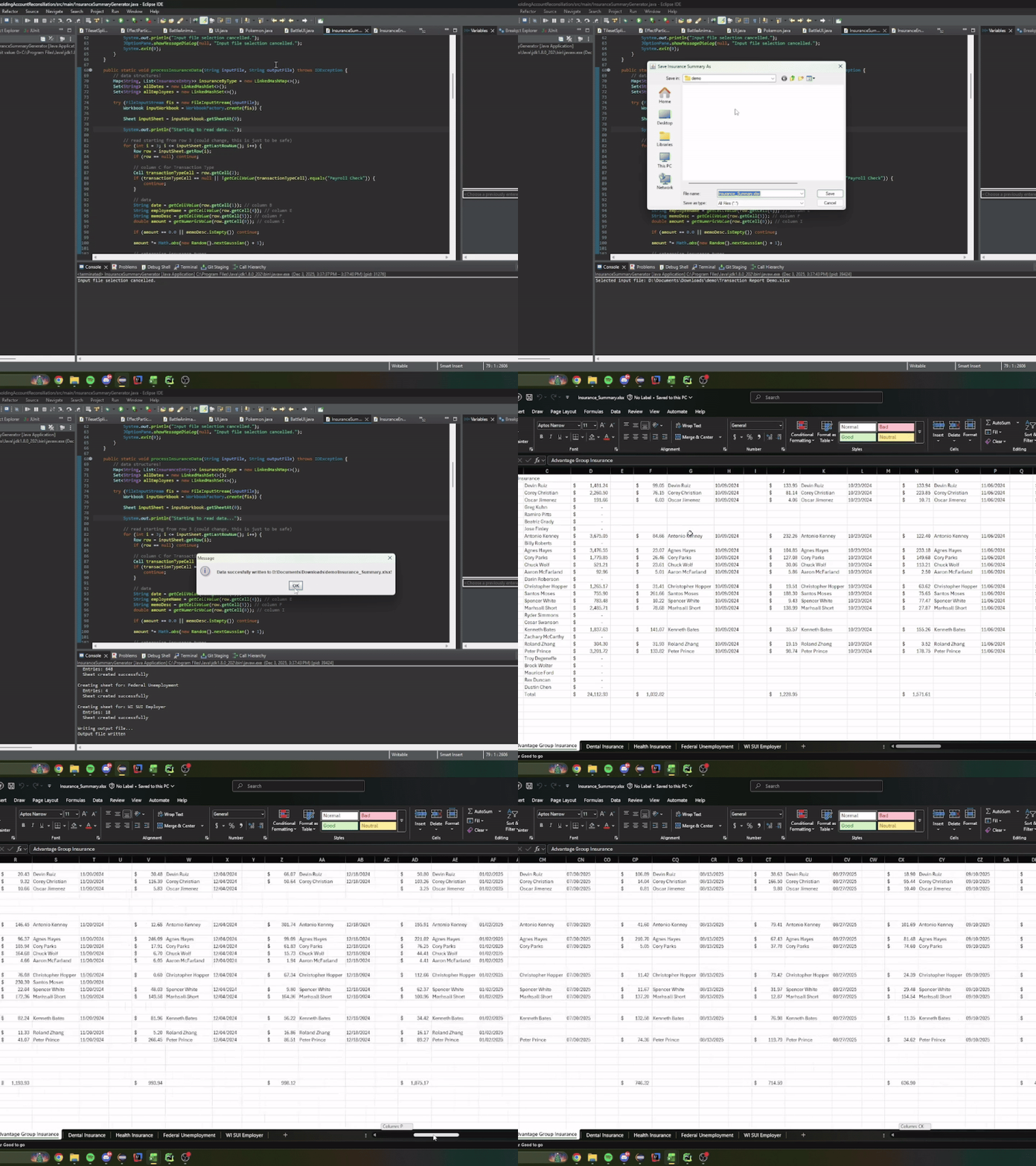
Multiple insurance type sheets (Health, Dental, Unemployment) auto-generated in single workbook
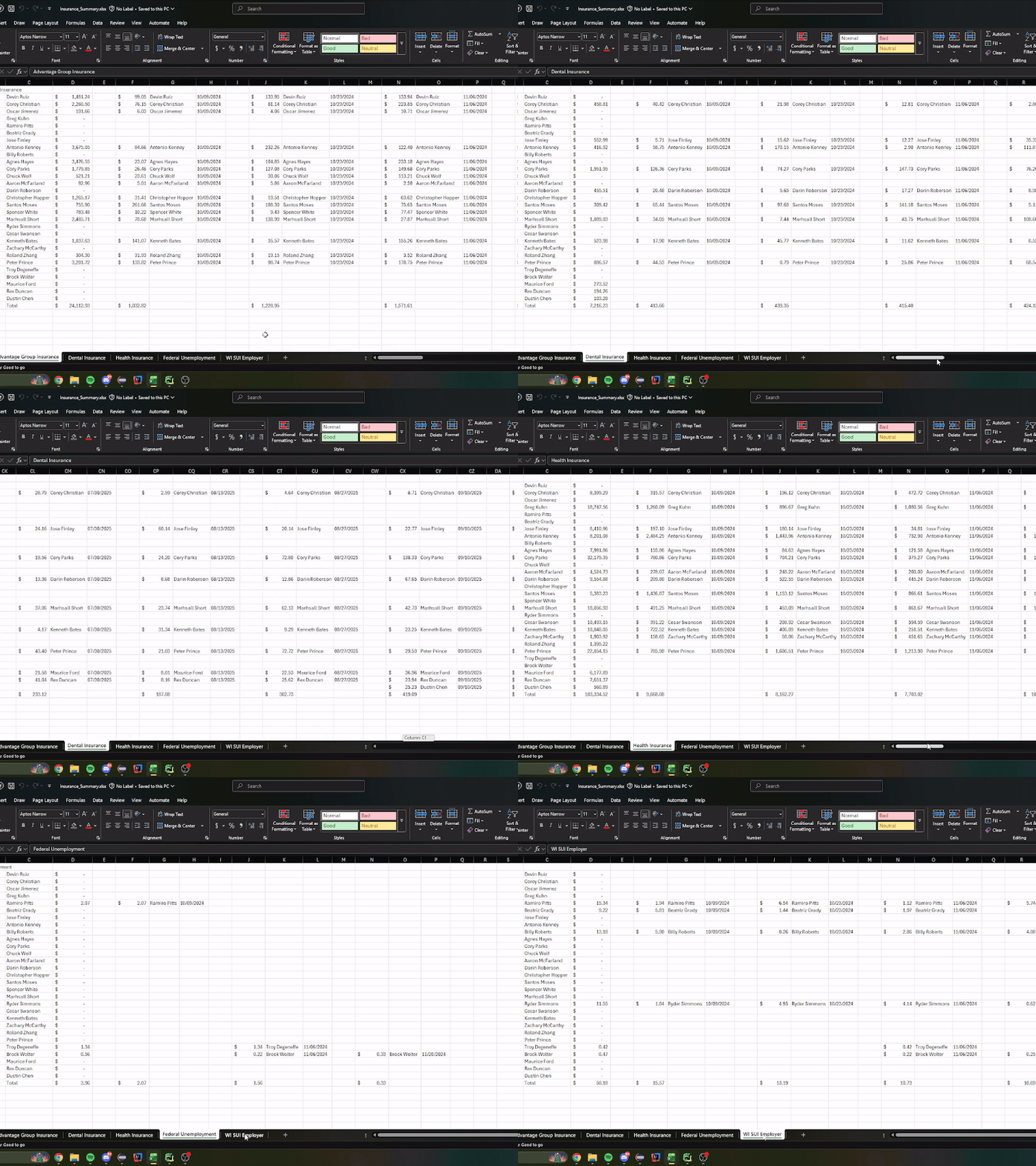
Automatic row and column totals with Excel formulas for easy verification
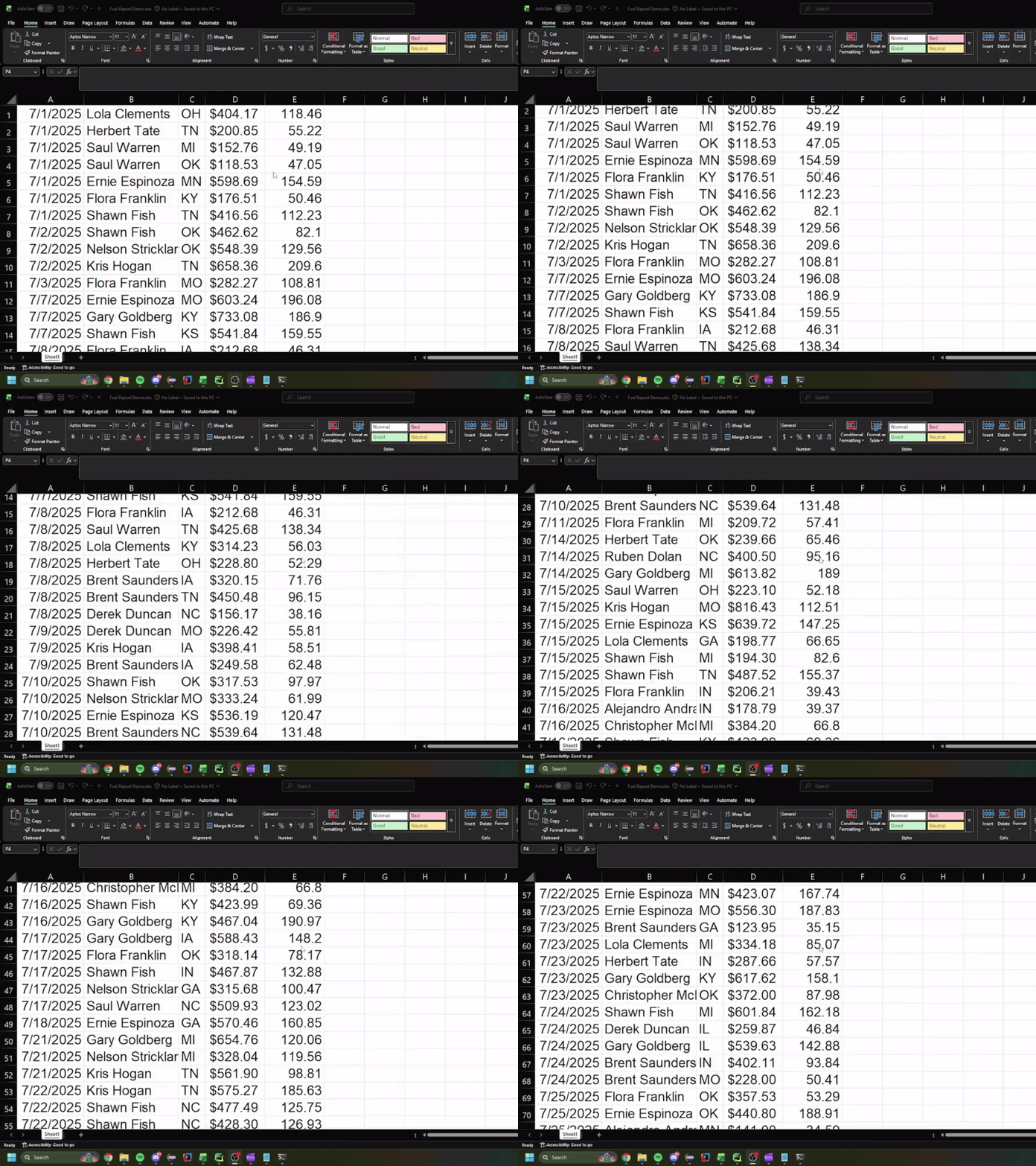
Raw fuel purchase data showing dates, driver names, states, prices, and gallons
Transformed fuel report with state-ordered columns and bordered formatting
A suite of Java-based automation tools developed to make repetitive data processing tasks easier at JMW Transfer Inc. These tools eliminate hours of manual Excel work each month, reduce human error while enabling non-technical employees to process complex financial and operational data with couple of clicks.
Insurance Summary Generator (v1.1.0):
A production tool used monthly by multiple employees to transform QuickBooks transaction reports into organized insurance summaries for accounting purposes. The program reads payroll Excel exports, categorizes insurance types (Health, Dental, Advantage Group, Federal Unemployment, WI SUI Employer), and generates pivot-style summary sheets with automatic calculations. Each insurance type gets its own sheet with employee-by-date breakdowns, running totals, and grand totals - all formatted with accounting-style currency and auto-sized columns.
Key features include:
- Automatic insurance type detection from transaction memos
- Multi-sheet workbook generation with one sheet per insurance category
- Dynamic row/column sizing based on actual data (only shows relevant dates and employees)
- Formula-based cell calculations for totals and subtotals using Excel formulas
- Accounting-style number formatting for professional output
- Comprehensive error handling with user-friendly dialog messages
- File dialog integration for easy input/output selection
- Released on GitHub with proper dependency packaging and version control
The v1.1.0 release resolved critical file locking issues using try-with-resources, fixed process termination with proper System.exit() calls, and corrected Apache POI OOXML dependency bundling.
Fuel Data Transformer:
An internal automation tool that processes out-of-state fuel purchase reports for quarterly tax calculations. Drivers submit fuel receipts from 14 different states, and this script transforms raw data into a standardized pivot format that accountants can immediately use for state-specific tax filings. The program maintains a predefined state ordering (may add a config functionality where the user can change the state ordering in the future), applies consistent formatting (16pt Arial font, currency/decimal formatting, bordered cells), and generates clean, audit-ready output.
Key features include:
- Predefined state ordering with automatic alphabetical fallback for unlisted states
- Date-driven row organization with name-based secondary sorting
- State-specific column pairs (price + gallons) with bordered styling
- Currency formatting for prices and 3-decimal precision for gallons
- Empty cell styling to maintain table structure
- Auto-sizing columns for optimal readability
- Robust error handling for malformed data
Both tools follow enterprise-grade practices including defensive null checking, exception handling with user feedback, and clean separation of I/O, processing, and formatting logic. They demonstrate practical software engineering applied to real-world business problems - turning hours of error-prone manual work into seconds of reliable automation.
Technologies Used:
Core Technology:
Java 8, Apache POI 5.x for Excel manipulation (XSSF, HSSF workbooks)
File I/O:
FileInputStream, FileOutputStream, WorkbookFactory for robust Excel read/write operations
Data Structures:
LinkedHashMap for insertion-order preservation, LinkedHashSet for unique ordered collections, ArrayList for dynamic lists
UI Components:
FileDialog (AWT) for native file selection, JOptionPane (Swing) for user feedback and error messages
Excel Styling:
CellStyle, DataFormat, BorderStyle, Font for professional accounting-style formatting
Best Practices:
Try-with-resources for automatic resource cleanup, defensive programming with null checks, cell type handling, formula generation, proper process termination